


|
|
| Ord. no. | 70-2299 |
|---|---|
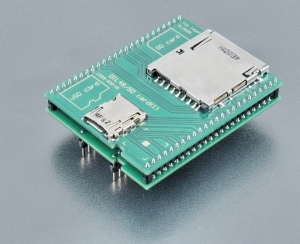
| Socket | SD and microSD connectors, push-push type |
| Bottom | 2x24 pins, square, 0.6x0.6mm, rows spacing 600mil |
| Class | Specialized |
| Subclass | other |
| Availability in stock |
0 pcs.
[ We are sorry, that the item is not in stock at the moment. Please ask for availability, click here. other 3 pcs. within 3 working days ]
This number indicates quantity of items that could be produced from components in stock. Reasonable quantity of this product can be available within 3 working days. |
Price: US $495.00 [read this!]
Price 2-3: US $470.30
Price 4-7: US $455.40
Price 8+ : Ask for price [?]
Elnec fully understand needs of customers programming high volumes for which cost of adapters is one of most important component of costs. Therefore Elnec policy is to offer:
1. fixed discount when buying 4+ adapters of particular type,
2. individual discount for quantities 8+ according to type of adapter and demanded quantity. To get Quotation 8+ please click here:
Ask for price
We are sorry but your territory is covered by our sole distributor. Contact please the distributor for your country - listed in our web site.
Adapter manual
- Protect the contacts of adapter connectors and ZIF socket from contamination. Any dirt and/or fat on contacts may cause errors during programming.
- Usage of vacuum pick-up tool is expected for device handling.
- Proceed with care! Incorrect insertion of adapter in programmer ZIF socket or device in adapter ZIF socket may lead to programmed device damage.
- Insert adapter into programmer ZIF socket. If you are in doubts about orientation of the adapter in programmer ZIF socket, there is a rule of thumb - orientation of adapter name text is the same as orientation of the text on the top of programmer.
- Visually check the placement of adapter in programmer ZIF socket.
- Insert the SD/microSD card into the connector. Correct connector type and orientation of the card is indicated by picture near the card connector.
- Push the SD/microSD card until it clicks into place.
- To take out the card, push the SD/microSD card again to auto-eject. Attention please, microSD card can be ejected too fast due to strong spring force. Please hold the card during auto-eject.
- When you finish the work with adapter, remove it from programmer ZIF socket.
- Operating conditions: temperature 5°C ÷ 40°C (41°F ÷ 104°F), humidity 20% ÷ 80% non-condensing.
Software note
- If software version, you're using currently, doesn't contain support for this programming module, please download the latest version of software - Regular or OnDemand - from our web site.
Accepted package(s)
| MMC card |
 |
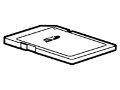 |
| MMC card |
 |
|
|
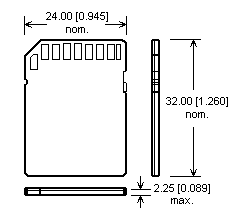
| SD card |
 |
|
|
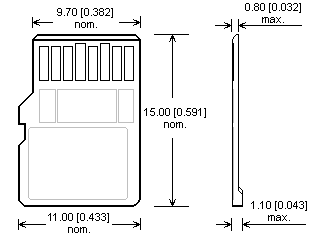
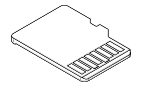
| microSD card |
 |
 |
